Been a quiet year here at Merry on Cherry, without a whole lot of time for new things.
P5 Panel
The big addition for the year is a P5 panel to replace my pixel strip matrix. I got the custom prebuilt modules via Your Pixel Store. It’s 8×10 panels overall, so I thought having it made as 4 cabinets of 4×5 would make it easy enough to install myself.
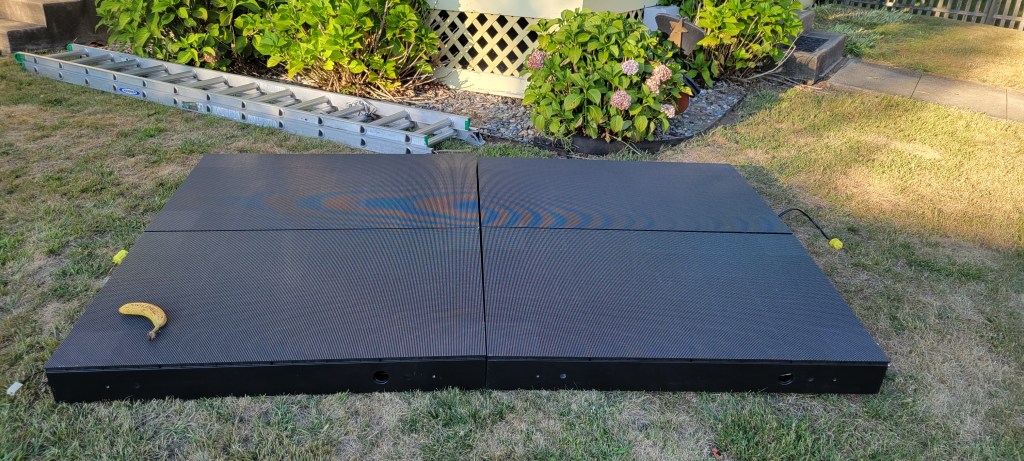
This was incorrect, but fortunately Shay and Noah from SBL Painters came and helped me out of the jam.

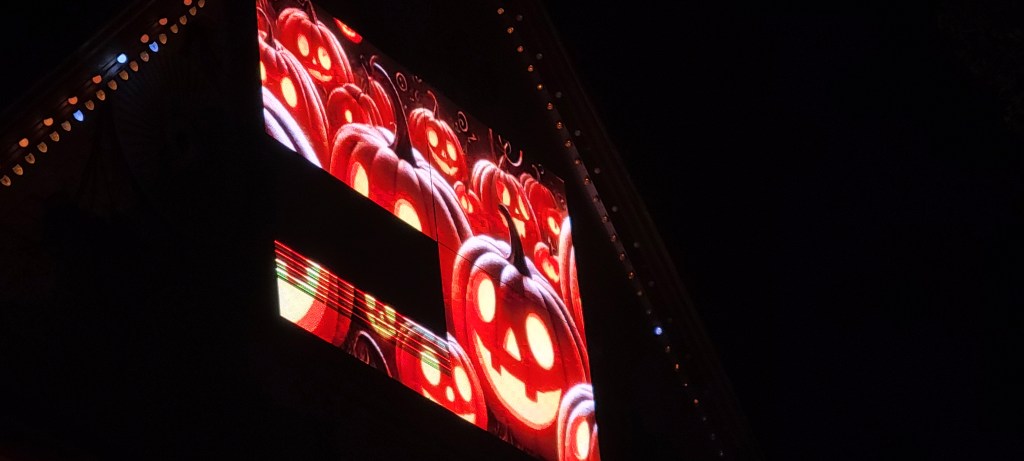
Of course, each year also seems to require a misadventure. The panel worked in testing on Aug 31, and through the following weeks… but failed on 9/28. An industry veteran tells me this will be a faulty PSU (and even which one)… on Tuesday we’ll find out if he’s right (I’ll bet he is). (Tuesday update: because he was exactly right, I can say that this was Kent from ACL & KR Lights.)
Smoother Playback?
Every year I say I have perfected my controller fleet, and only to end up with a “do over”. (Last year, I got rid of all smart receivers and went to 1Gbps networking, thinking that would settle things for a few years. Nope.)
I’ve been thinking for a while that other people’s 40FPS looks cleaner than my 40FPS. So, I started an investigation and found more than one problem. Also, as I hardly ever go over 300 pixels / port, and can make adjustments to get below that, I am considering going to a higher frame rate to make the whole house effects a bit smoother.
Anyway, I broke out the high-speed camera (ok, fine, I just used slow-mo on my phone) to see if the controllers are doing what they should be doing. Not all of them were. Normally, I would ask vendors if they had any comments on the results before I shared them, however this time I think some would have said no, so I’ll just pull the punches a bit and only confirm the good results (where the board meets or exceeds the vendor’s specifications). If a popular vendor / controller design is not listed here, and you know I have those controllers, it probably flunked the tests… probably didn’t even do what it was supposed to do at 40FPS.
- FPP-based BBB capes. These do very well, perfect 100FPS at a bit over 300 pixels per port, on 32 or more ports. Those can stay in the show, for sure.
- Baldrick 8. The vendor does not rate these for 100FPS, just claims “750 pixels/port at 40FPS”. However, they do 300 pixels / port at 100FPS very well. (Close the web page or it will drop a frame every now and then.)
- Falcon v4. The vendor says to ask support to set expectations about 100FPS, but I didn’t bother. They’ll do over 100 pixels / port, maybe 150 pixels / port at 100 FPS easily enough, so it meets their claims. They may do more pixels / port than that, there are quite a few advanced settings that might help here, but I didn’t inquire or try them.
- HinksPix Pro v3. The vendor makes no claims at all about support for 100FPS, but it turns out that it works reasonably well… 250 pixels/port for 32 or 48 ports is fine (I don’t have a box with all 80 ports populated to test).
Anyway, those results led me to replace (or at least temporarily sideline) a few controllers. Not to worry, replacement 16- and 32-port BBB capes are ready for action now.
Playback Software
It’s finally time to ditch xSchedule. I lived with the quirks and bugs for the last 4 seasons, and it’s part of the reason my playback is not as smooth as everyone else’s. So, this year I’m switching to a new player… because nothing says “adventure” like a new pre-alpha player.
Coro Props?
Frankly, I’ve got most of the coros that I need, and I’m running out of display and storage space. However, I picked up a few replacement snowflakes to take over for the EFlake-450s. (There was nothing wrong with the EFlake design, but they had the misfortune of being pushed with 2022 pixels, and those were starting to fail. The x-flute coro just holds them too tightly for replacement to be worthwhile, so I got some new flakes from Boscoyo and GE.
I liked the way the P5 tombs turned out, so I got some stockings. Will put them up… somewhere…
To fill a small hole in the hedge, I grabbed a couple of these from the new line of coros from Wired Watts. They’re quite well made, a relative bargain at $11 each for full color printing with wiring diagram on the back.
The main thing I’ve been doing is picking up some patriotic coros, hopefully to be used for the 4th of July next year. (That Boscoyo eagle … I think it looks pretty good up there…) I got quite a few from Pixel to Prop (they have a good selection of stars and spinners in red, white, and blue), and a few from GE (USA letters, armed forces cutouts).
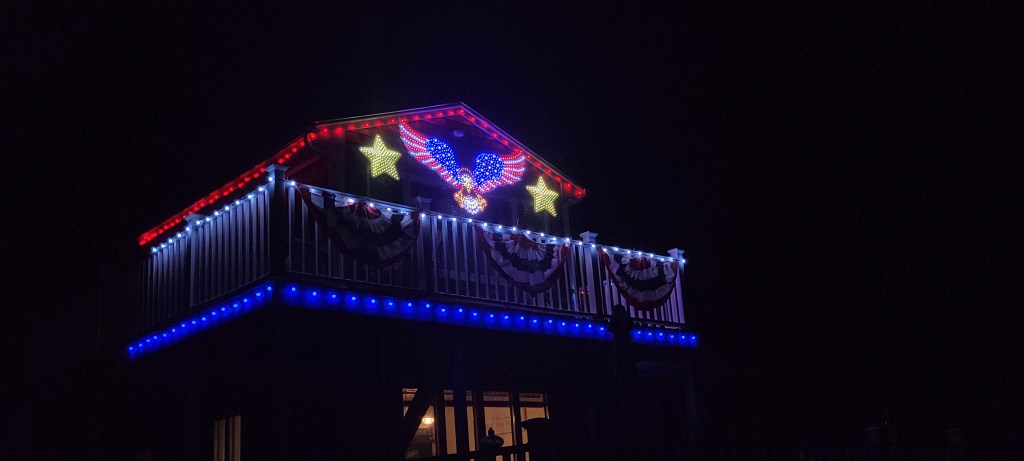
I do also have a waving snowman and a few other items from EFL… but what pixels will I use for that?
Best Pixels For Coro?
As I was last year, I’m on the hunt for better pixels for coro. I have lots of 12mm resistor bullet pixels, but am always looking for something more efficient, lighter weight, with a softer look. (And yes, more reliable than those 2022 pixels. A lot of the newer pixels are a single LED module made and soldered 100% automatically, which at least has the potential of being more reliable.)
- GS8208 bullets (e.g. YPS Duo). These tick the box for higher efficiency, and they’re super bright. But they’re still bullets in terms of size and weight, and they have the high manufacturing complexity of a PCB with a main chip and several passives encased in epoxy. They have a mind of their own when powered with no data signal, which is also a bit weird. Keep to well under 100 from power. I use them when I want their sheer brightness, so some of the 4th of July stuff uses them.
- WS2808 bullets (Wally‘s). These are also higher efficiency and run a couple hundred pixels from power. The brightness is about the same as resistor bullets. These are a significant efficiency upgrade from WS2811 resistor bullets, but they are a complex product with a lot of passives on the PCB, and are still the same size and weight as bullet pixels. I’ll be getting more for those cases where only bullet pixels will do.
- Gumdrop (Wally’s Lumidot). These are much lighter than bullets and are also high efficiency. Much softer look. These do bleed through white coro (which can be good or bad, depending on what you’re going for), but the big issue is they fall out. They work great in ChromaTrim and a few other things (probably tree strip), but for general usage in 10mm coro, they’re not great. I really do like the look, so I’m getting some custom coros with undersized holes. We’ll see.
- Gumdrop (MLS Magicolour). These are also light and efficient and have a gamma of only 2.0, but are not tall enough for 10mm coro… probably a great candidate for tree strips and HDPE matrix.
- Gumdrop (EZRGB or ScottLED). These are nice and tall, do not bleed into coro much, and are efficient and lightweight. Somewhat dimmer than the rest, and only set for coro of 10mm thickness.
- Gems / Blackouts (YPS or similar). These are very light and efficient, run 200+ from power, and fit well in 10mm coro. Cons: Unless you pay a little more for blackout, they bleed into the coro. Less viewing angle, and somewhat weird color mixing – tend to look a touch blue or orange depending on what side you look from. Great for high density.
There are a few other offerings I’m keen to try… but can’t get ahold of just yet. EVO Domes come to mind, but sadly, Mattos preorder schedules don’t line up with my show very well.
So, the best depends a lot on the situation. Seems like resistor-based bullet pixels still may have some life left… especially at the new lower prices this year from ScottLEDUSA.com.
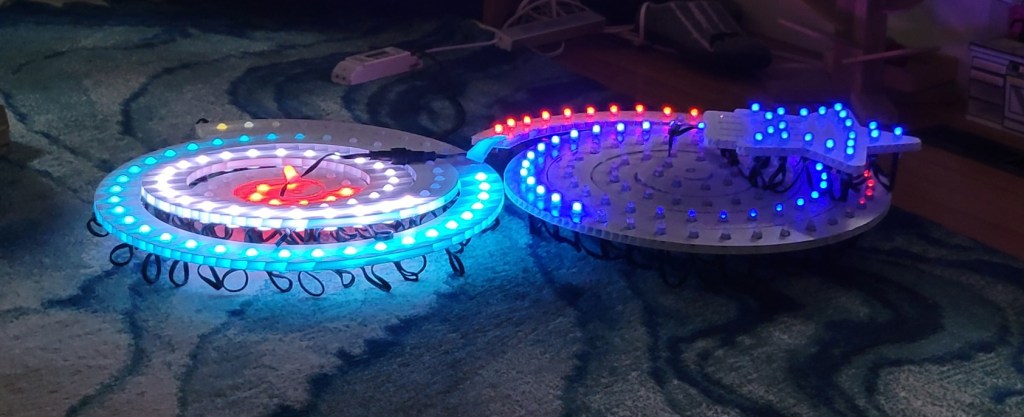
I think the coro bleed has the potential to look pretty cool … a bit softer. Gilbert Engineering was nice enough to custom cut some spiral trees with tighter holes for the lumidot pixels… see lumidot on the left, vs resistor bullet on the right. It worked out pretty well.
Seed Pixels?
I’m working on a seed pixel flag, intended as 40 strings of 250 2″ spaced seed pixels. The custom HDPEs have arrived from HolidayCoro, and they are amazingly clean-cut… now I just need to put the 10,000 pixels in.
Additional matrix and tree projects are ongoing… but they won’t make it for 2025. All of this is for 4th of July 2026 (hopefully).
3D Printing?
Still on the “to do” list is some sort of frame for last year’s seed pixel mini trees, to hold the cone into a more conical shape. Updates as warranted.
P4 Panels?
Last year, I got some flexible P4 panels, but never got them to work. Hoping the new PB2 panel cape from Kulp will be the ticket, since it has the ‘E Line’. We’ll see.
Sequences?
Yes, there will be new sequences. No spoilers! (Actually, I’d tell you, but I simply don’t know what they’ll be yet.) I will be using EZSequence for as much as possible this year, though I will probably resort to reimporting last year’s sequences again to keep sufficient variety.
Bitrex?
There seems to be a rabbit nexus under the hedge. They took nibbles out of each of my extension cords… the yellow ones, white ones, pink ones, green ones.
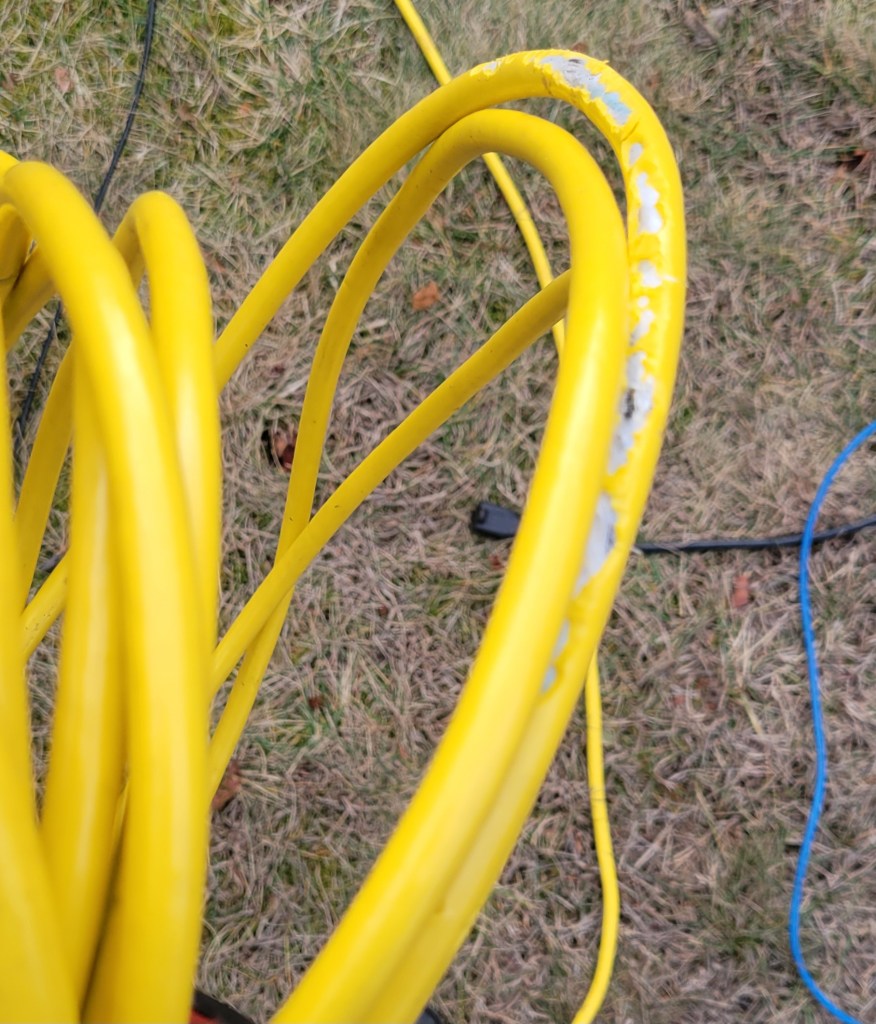
They only thing they didn’t bite, as near as I can tell, is the cheapest black ones. But enough about the past… this year I will spray them with something bitter and report back as to how it went.
 Merry On Cherry

Thanks for sharing your 2025 update!
re: the YPS duos with Hinkspix. I bought some of those, and I also have the 2021 version of the Hinkspix pro. Mine are doing the same random flashing every 10 sec. without an active sequence.
I set them up in xlights as BGR per the YPS product description, and that was uploaded to the controller. However, they acted like RGB pixels (i.e. the blue colors turned out red, and the reds turned out blue). I went into the Hinkspix web UI and forced them to RGB, and this made everything right. Did you have the same issue?
LikeLike
Yes, the YPS duo pixels are using GS8208 chips and do all kinds of interesting self-test dances when they do not receive data. I have my player sending out black data a few times a second to stop this, and don’t know any other way.
I found them to be BGR as advertised. Please note that there are 2 places (at least) to set the color order:
1. In the xLights pixel type
2. In the controller
Do not do both, do it in exactly one place. If the data starts as RGB and xLights makes it BGR, and then the controller swaps them again if it is also set to BGR and you’re back where you started. (The data is not tagged in any way, it is based on the expectation that the default is RGB and that it is to be transformed if the setting is anything other than RGB. So, setting the controller to BGR makes it swap the bytes… if it came in as RGB (which is what it expects) you’ll get BGR, but if it came in as BGR (due to xLights setting) it will get swapped to RGB, which is not the BGR that the pixels expect.)
So, if you look at mine, I have it as BGR in xLights, but RGB in the controller. Doing it this way means that if you change it, you have to rerender, so having batch render set up is important if you make occasional mistakes (as I do). If you leave it RGB in xLights and set it at the controller level, then you can quickly change things at the controller level … but only if the controller supports it. (The Hinks only supports it at the port level, if you have multiple props on the same port with different color orders, it can’t help you.)
So, for these long-winded reasons, I usually suggest letting xLights do it. That way I don’t need to know what controller it is, and what it can do. Set it in xLights, don’t tell the controller. Which seems to be where you’ve landed with your setup.
LikeLike
Thank you. Lee
LikeLike